AI photo and picture translator

Translate Image to English

Use Translate Image to English for a photo, screenshot, sign, label, or scanned page without identifying the source language first. The tool detects visible text and gives you both an English translated image and editable English text.

Automatic source-language detectionEnglish target already selectedEditable, layout-aware result

Source language

Auto-detected; crop mixed-language screenshots when needed

Translation target

Every detected text region is translated into English

Upload one image first. Translation settings appear after the image is ready.

Drop an image here

Or choose a JPG, PNG, or static WebP file from your device.

On a supported phone, Take a photo opens the rear camera so you can capture the menu or image directly.

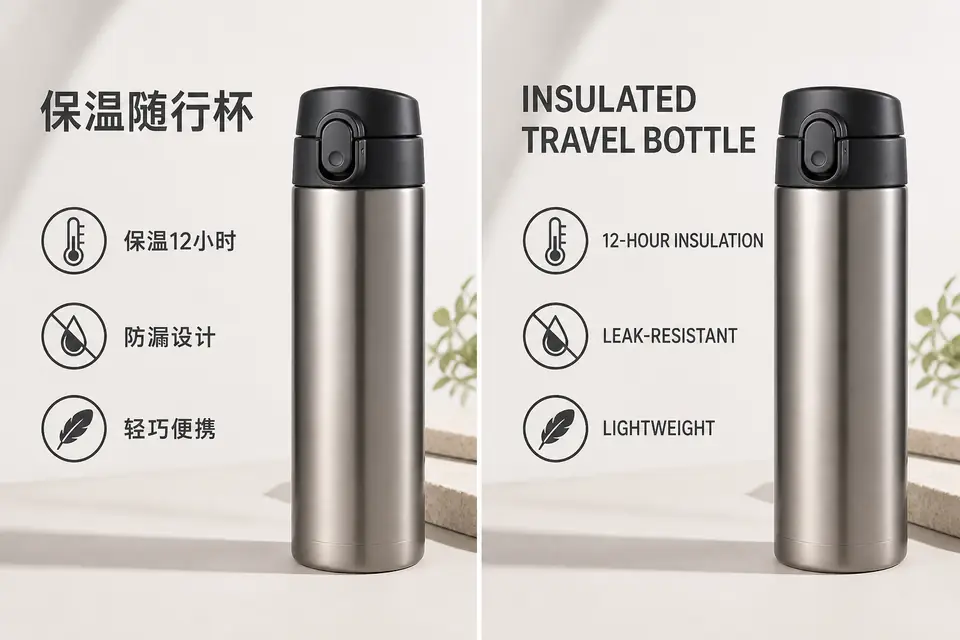
Chinese insulated bottle product graphic translated to concise English feature callouts

Chinese to English image translation

A Chinese supplier product graphic becomes concise English ecommerce creative while the bottle, icons, spacing, and benefit hierarchy remain consistent. Sellers need wording that sounds natural to an English buyer, not a long literal translation that crowds the original design or weakens trust.

Three-step workflow

Translate an Image to English in Three Steps

You do not need to identify whether the original is Chinese, Japanese, Korean, Spanish, Arabic, Russian, or another supported language before you begin. Upload the file, let OCR find the visible words, then review the English translation beside its visual context.

  1. 1

    Upload the image

    Choose a JPG, PNG, or static WebP photo, screenshot, poster, product graphic, or scanned page. A clear image with readable contrast gives OCR the best chance to find every word, but the tool can also handle mixed layouts, vertical signs, and compact interface text.

  2. 2

    Detect and translate

    The source language is detected from the text regions in the image. English remains selected as the output, removing an extra configuration step and preventing a translation into the wrong target language.

  3. 3

    Review and export

    Compare the original with the translated image, read the extracted English text, and correct wording or placement when context changes the meaning. Export the finished image at the uploaded dimensions when the English version is ready to share.

Photos, pictures, and screenshots

Translate a Photo, Picture, or Screenshot to English

Use Translate Image to English for a street sign photographed at an angle, a restaurant board in bright sunlight, a product label with several font sizes, or a phone screenshot full of small interface labels. OCR finds separate text regions instead of treating the picture as one paragraph, helping each English translation stay connected to the correct arrow, button, product feature, warning, or caption.

The same workflow works whether you want to translate a photo to English directly from your camera or translate a picture to English from a saved file. Names, abbreviations, prices, measurements, and short labels can have more than one valid interpretation, so review the English wording beside its visual context. For the cleanest result, upload the original file instead of a heavily compressed social-media copy, keep important text inside the frame, and use the highest-resolution source you have.

Six real-world examples

Image Translation to English for Real Tasks

The Translate Image to English examples below keep each phrase connected to the right product feature, speech bubble, app control, menu item, instruction step, or social announcement. Compare six common source languages across image types people need to understand, edit, and share.

Chinese insulated bottle product graphic translated to concise English feature callouts

Chinese to English image translation

A Chinese supplier product graphic becomes concise English ecommerce creative while the bottle, icons, spacing, and benefit hierarchy remain consistent. Sellers need wording that sounds natural to an English buyer, not a long literal translation that crowds the original design or weakens trust.

Original Japanese manga train scene translated into English inside the speech bubbles

Japanese to English image translation

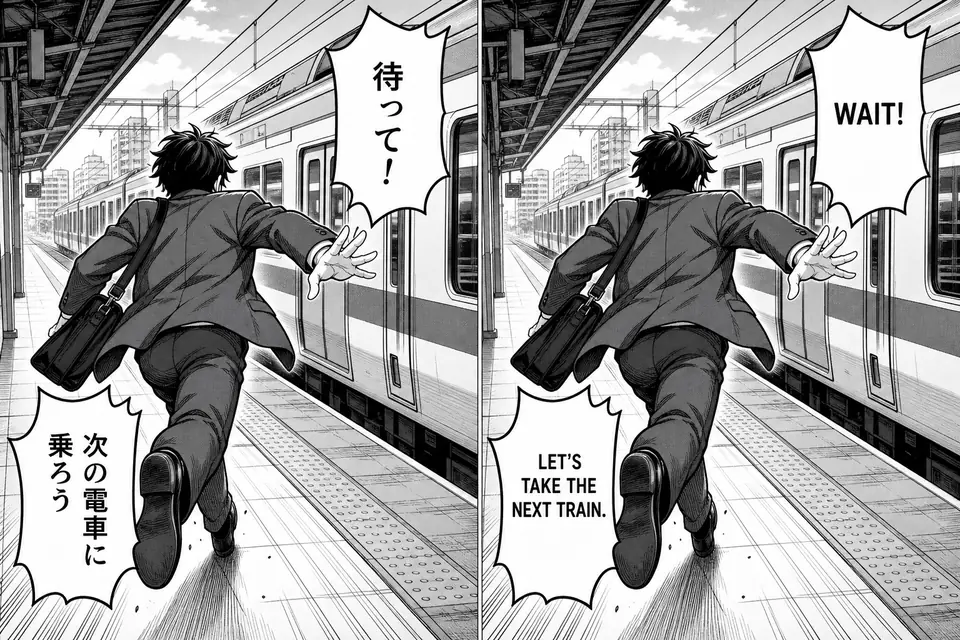
An original Japanese manga panel becomes readable English while the speech bubbles, artwork, reading order, and dramatic pacing stay intact. Manga users care about clean bubble text and natural line wrapping because separate OCR text loses the connection between dialogue and character.

Korean train service notice translated to English on a smartphone screen

Korean to English image translation

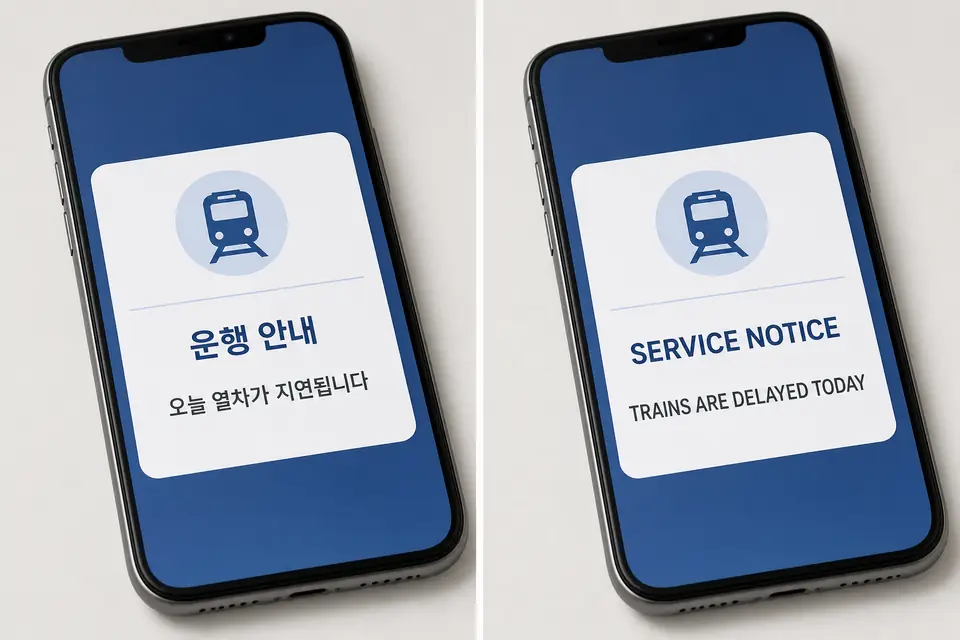
A Korean transit alert is converted into readable English inside the same mobile interface. Screenshots often use small type and compact cards, so the editable result helps you check line breaks, service names, dates, and short notices before you download or share the translation.

Spanish cafe menu board translated to English as Today's Menu and Soup and Salad

Spanish to English image translation

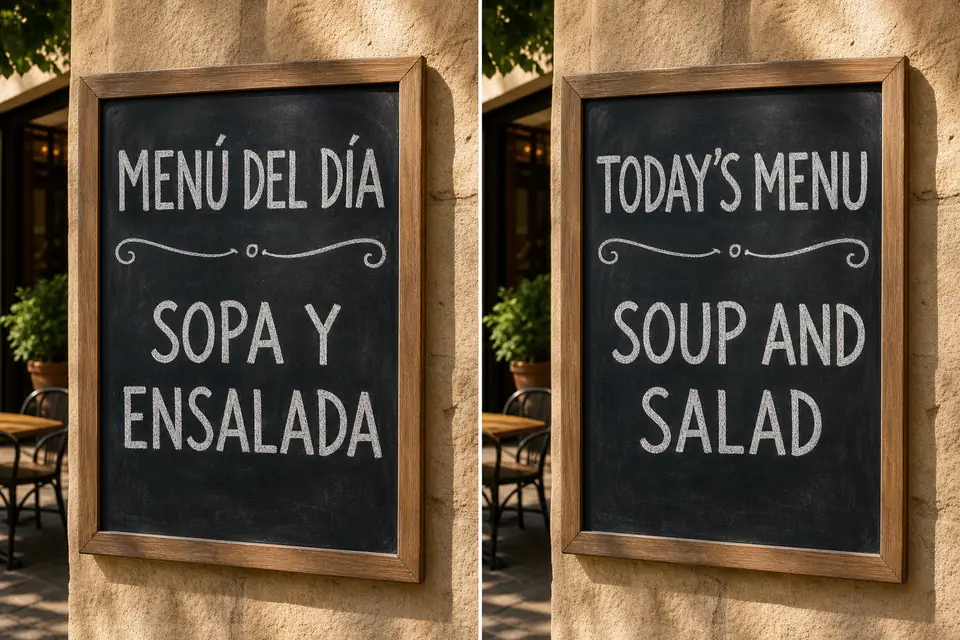
A Spanish café board becomes an English menu while the chalk style and visual hierarchy stay intact. Latin-alphabet source images are usually easy to recognize, but accents, regional menu terms, and text placed over textured backgrounds still deserve a context-aware translation review.

Arabic kettle instruction sheet translated to English with three numbered steps

Arabic to English image translation

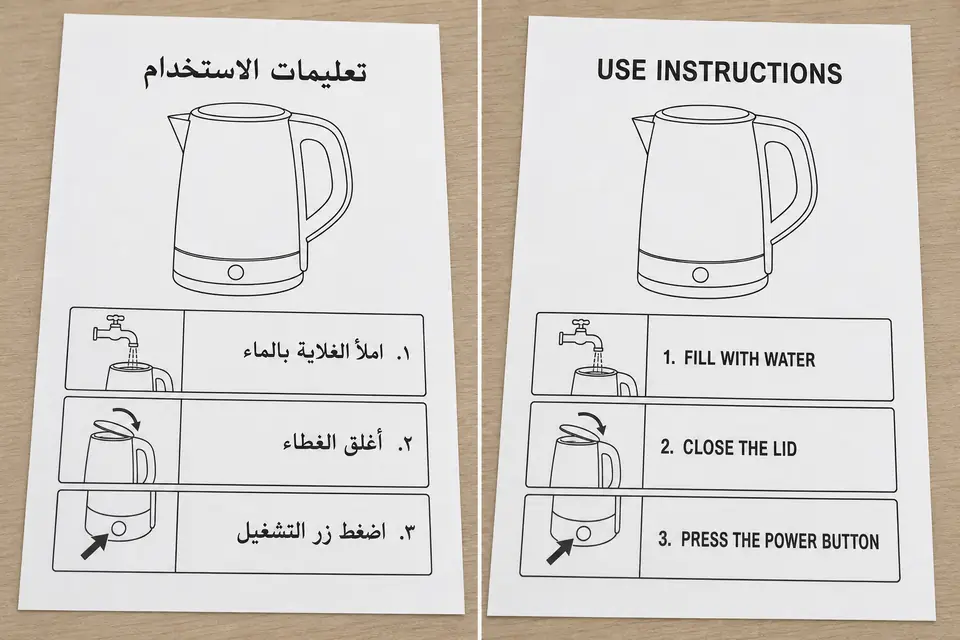
An Arabic appliance instruction sheet becomes an English document with the numbered steps and matching diagrams left in place. Right-to-left source text must be mapped carefully into left-to-right English so each instruction still belongs to the correct icon and sequence.

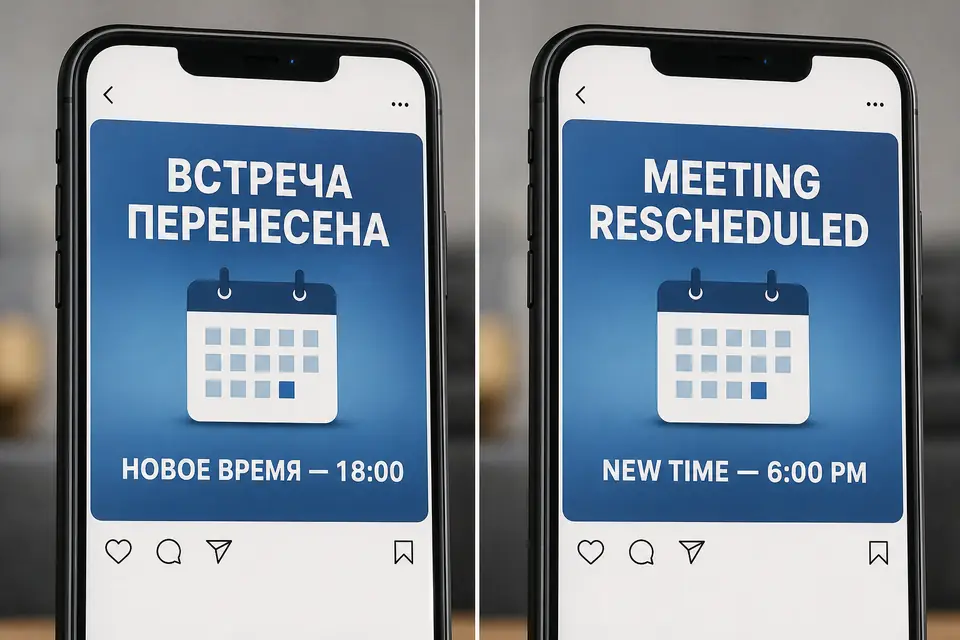
Russian social media event announcement translated to English as Meeting Rescheduled

Russian to English image translation

A Russian social announcement becomes readable English inside the same post card. Use this approach when text cannot be copied from a foreign app, chat, event graphic, or social image and you need each translation to remain beside the correct visual element.

Image plus editable copy

Get the English Text, Not Just the Image

Sometimes you need a translated picture for publishing, and sometimes you need the words for an email, note, search, or accessibility workflow. After using Translate Image to English, you can inspect the English text blocks, compare them with the source regions, and edit a phrase before export. That is faster than running OCR in one service, translation in another, and image editing in a third.

Review every Translate Image to English result for names, numbers, units, safety instructions, and calls to action, because a fluent sentence can still be wrong for the picture. If a line is missing, check whether it is cropped, blurred, curved, or hidden by glare. For critical legal, medical, or safety material, use the result as a working translation and ask a qualified human translator to confirm the final meaning.

Repeatable English output

Translate Images to English with Consistent Settings

Use batch processing to translate images into English with consistent settings. Paid plans can raise the number of images in a batch, while the interface still lets you select each preview and inspect its result. This is useful for a sequence of product cards, presentation slides saved as images, travel screenshots, instruction panels, or several pages from one scanned document.

Batch work does not remove the need for review. Different images can use different source languages, fonts, and levels of contrast, so check every English result rather than assuming one successful page guarantees the next. If you regularly use Translate Image to English for publishing, compare plan limits before choosing a larger workflow.

Keep visual context

Detected regions help English wording remain connected to the original sign, label, card, or caption.

Edit before export

Correct names, terminology, line breaks, and positioning while viewing the source and translated result together.

Export at source size

Download the translated image at the dimensions of the uploaded file, subject to the active plan's export rules.

Private processing

Uploads stay in private storage and use short-lived authorized access during translation.

Common questions

Translate Image to English FAQ

Quick answers about source detection, English output, editable text, accuracy, and image privacy.

Ready to Translate Your Image to English?

Upload your picture, let the source language be detected automatically, and review an English translated image plus editable English text.

Translate to English