
Allow for longer wording
Review narrow buttons, price cards, labels, and multi-line headlines. If a Spanish phrase feels cramped, shorten the wording without changing the promise, or adjust the editable block so the hierarchy remains easy to scan.
SPANISH IMAGE TRANSLATION
Upload a photo, screenshot, menu, product graphic, or scanned page and turn its visible text into clear Spanish. The source language is detected automatically, Spanish is fixed as the destination, and the translated wording is placed back into the image for review and download.
Source language
Detected from the uploaded image
Target language
Spanish (Español)
Upload one image first. Translation settings appear after the image is ready.
Free · 3 images, no sign-upDrop an image here
Or choose a JPG, PNG, or static WebP file from your device.
On a supported phone, Take a photo opens the rear camera so you can capture the menu or image directly.
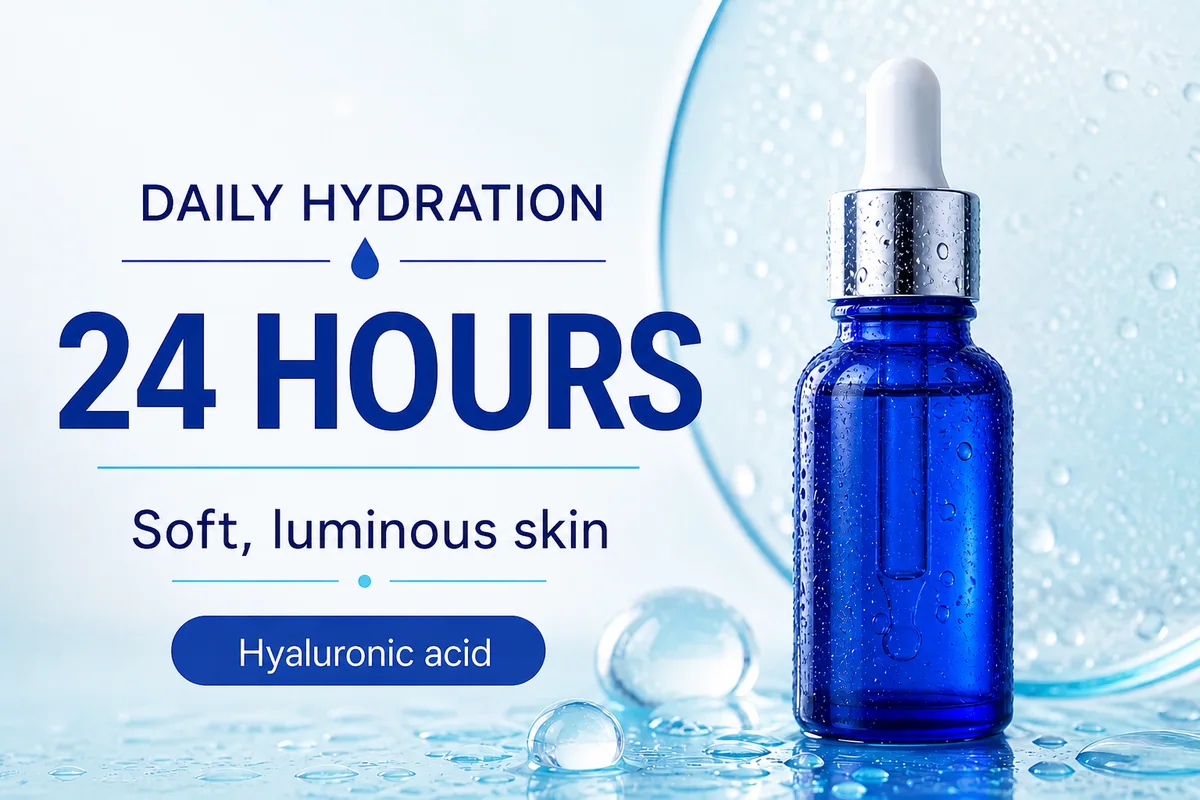

Localize a product graphic for Spanish readers
Product posters combine short claims, feature labels, numbers, and strong visual hierarchy. Translate image to Spanish output should preserve the product photography and spacing while making important claims such as duration, ingredients, and benefits readable in the destination language.
HOW IT WORKS
The complete workflow stays on this page. You do not need to copy text into a separate translator, guess the source language, or rebuild the design by hand before you can evaluate the Spanish result.
Choose a JPG, PNG, or static WebP containing readable text. Clear screenshots and exported graphics usually provide the cleanest OCR, while angled photos, reflections, tiny labels, and decorative lettering may need a closer review after processing.
The tool detects the original language, reads visible text regions, translates their meaning into Spanish, and reconstructs those regions inside the existing visual. Spanish remains selected throughout the job, which removes an easy source of setup mistakes.
Compare the result with the source before downloading. Confirm accents, names, prices, measurements, calls to action, and any regional terms. Edit a translated text block when brand language or local usage requires a more specific choice.
SPANISH-SPECIFIC REVIEW
Spanish wording can occupy more space than a short English, German, French, or Japanese source phrase. A useful image translator therefore has two jobs: communicate the meaning clearly and keep the result visually usable. These are the three checks that matter most before you publish or share the image.
Review narrow buttons, price cards, labels, and multi-line headlines. If a Spanish phrase feels cramped, shorten the wording without changing the promise, or adjust the editable block so the hierarchy remains easy to scan.
Check marks such as á, é, í, ó, ú, ü, and ñ, along with product names, people, places, model numbers, and units. Proper accents are part of correct Spanish, not decorative details that can be dropped.
A neutral result can work broadly, but Spain, Mexico, the United States, and other Latin American markets may prefer different everyday terms. The tool gives you an editable starting point; your final regional choice should match the people who will see the image.
SPANISH OUTPUT EXAMPLES
These purpose-built examples reflect the strongest task patterns in current image-to-Spanish search results: marketing localization, hospitality content, interface screenshots, and visual instructions. Each example uses a different design system so the gallery demonstrates the task instead of repeating one template.
MARKETING & ECOMMERCE
Product posters combine short claims, feature labels, numbers, and strong visual hierarchy. Translate image to Spanish output should preserve the product photography and spacing while making important claims such as duration, ingredients, and benefits readable in the destination language.
RESTAURANTS & TRAVEL
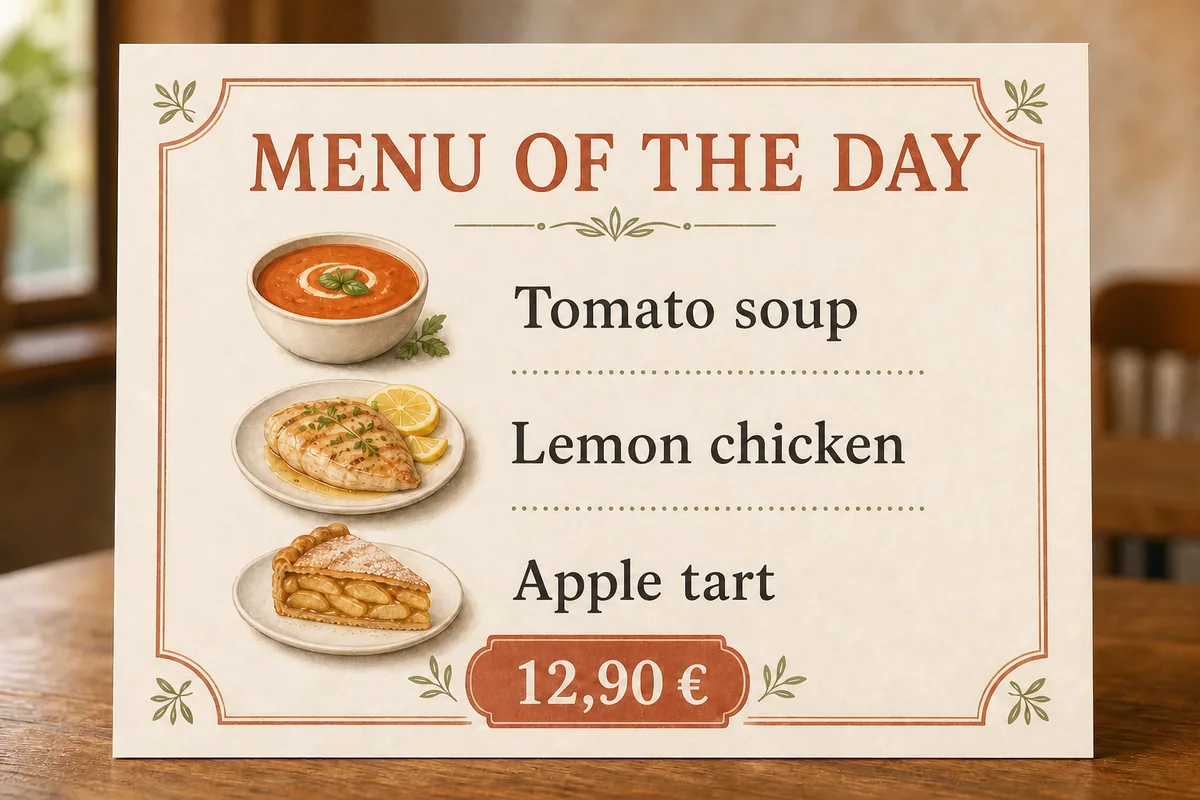
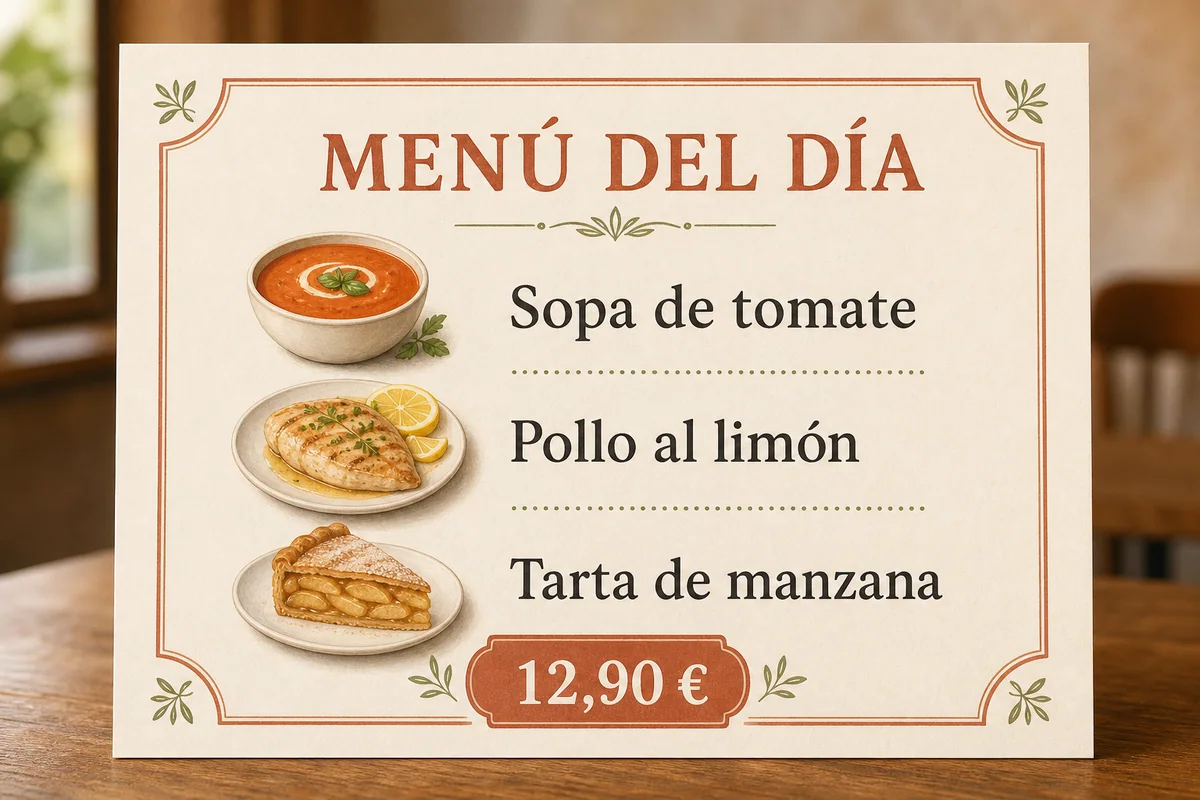
Menu translation requires more than replacing isolated nouns. Dish names, preparation methods, prices, and accents must remain associated with the right item. Always verify ingredients and allergens with the restaurant because automated image translation is not a food-safety guarantee.

APPS & SCREENSHOTS
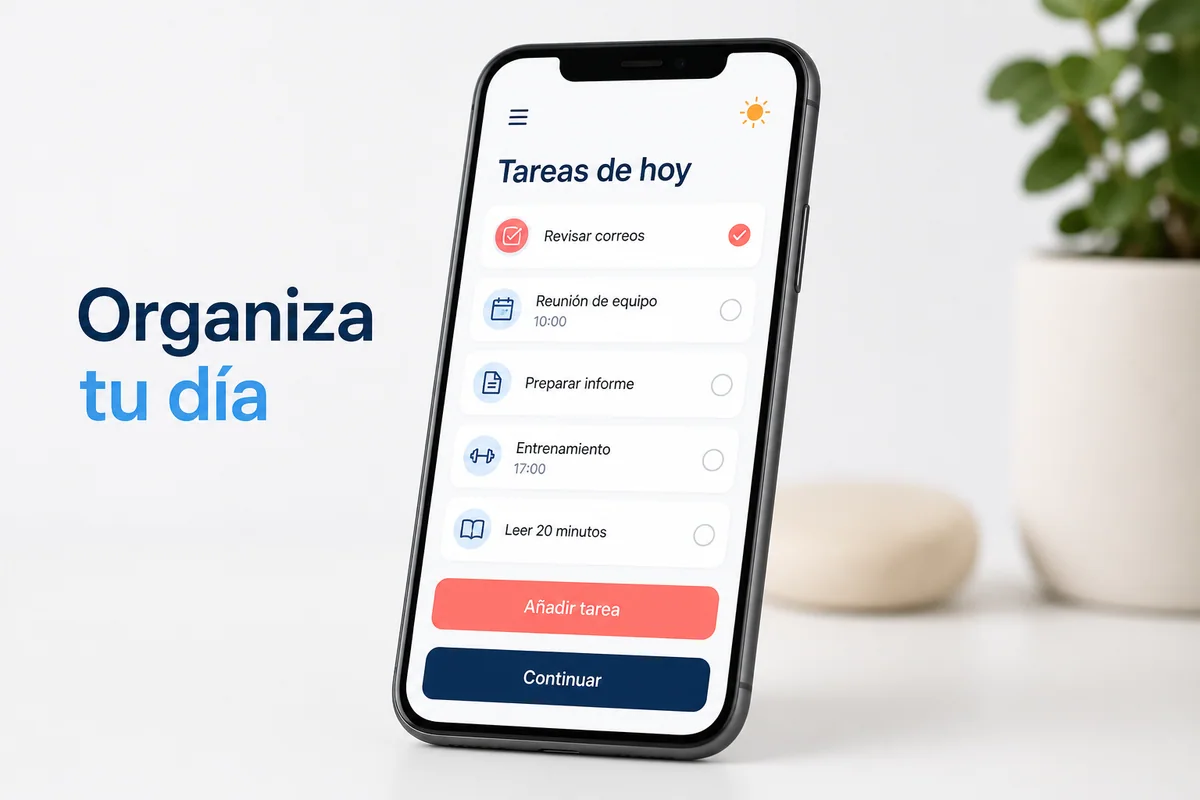
A localized screenshot helps product, support, and marketing teams inspect how Spanish labels behave inside real interface constraints. Pay special attention to navigation, buttons, task names, and truncated text rather than judging translation quality from a detached text list.
TRAINING & VISUAL GUIDES
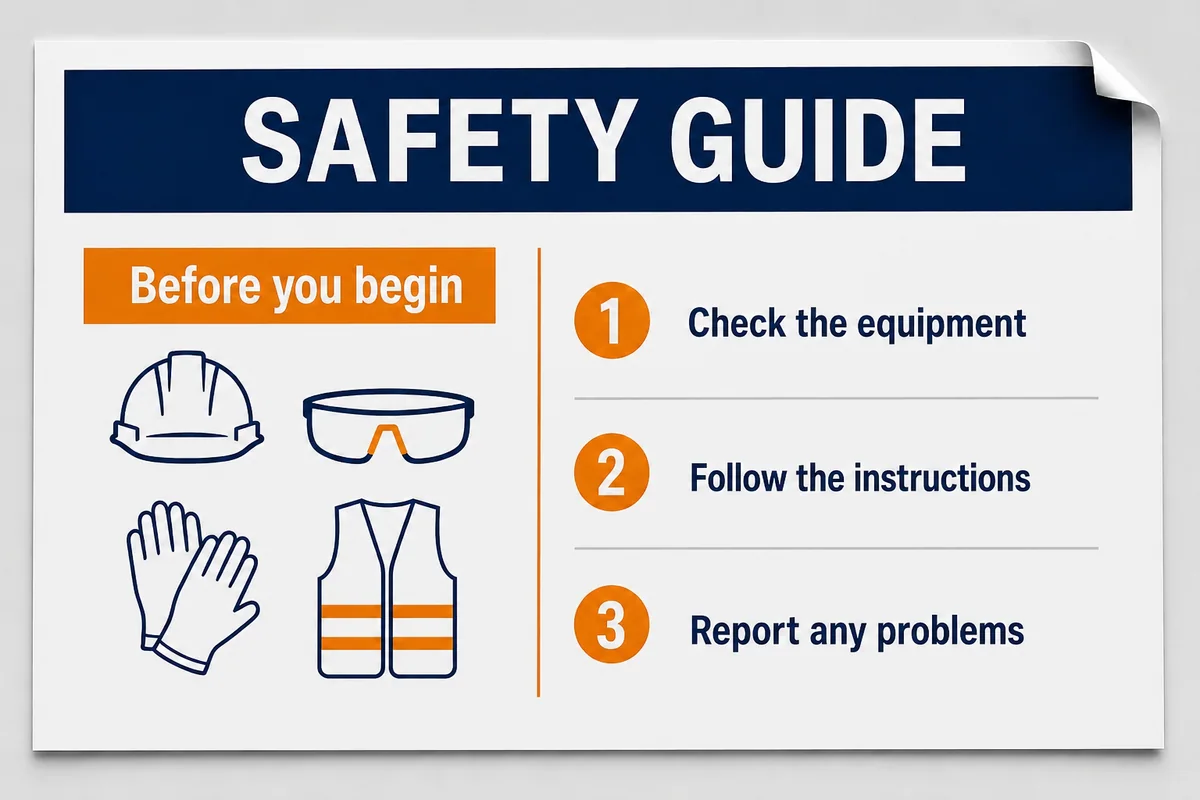
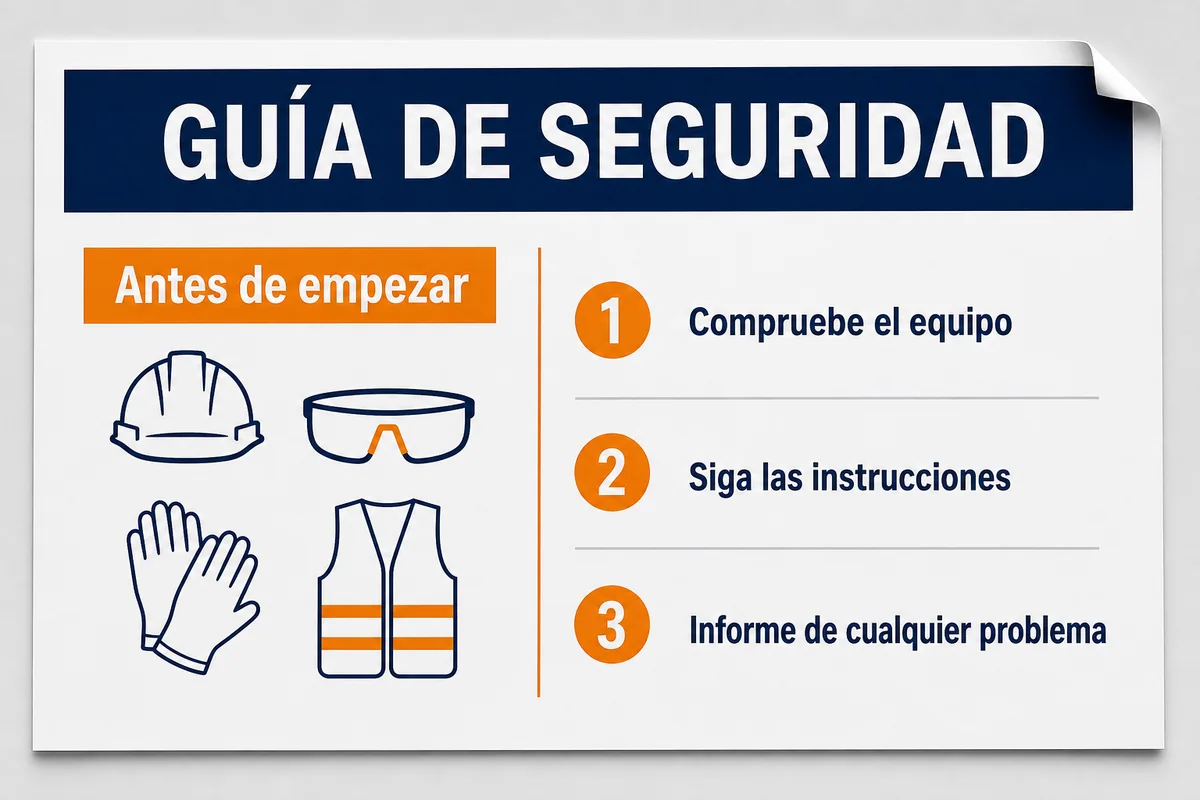
Posters, checklists, and scanned training sheets depend on sequence and placement. Keep each Spanish instruction next to the correct number or icon, then compare safety-critical statements with an approved source before distributing the translated image.
Travel and both directions
Travelers use image translation in both directions: an English speaker photographing a Spanish menu in Madrid or Oaxaca, and a Spanish speaker reading English signs, tickets, and hotel notices abroad. The same upload workflow covers both — set the direction that matches your picture.
A printed carta, menú del día, or mercado stall board mixes dish names, ingredients, and prices. Translate the picture to check what a dish contains before ordering, and keep the translated page open at the table instead of asking the waiter to translate every line.
Museum placards, metro tickets, parking signs, and pharmacy instructions are photographed constantly while traveling. Snap the sign, translate the picture, and read the notice in the direction you need — Spanish to English to understand it, English to Spanish to show a local.
Check-in rules, breakfast hours, laundry tags, and tour waivers often exist only in one language. A translated photo keeps the paragraph structure visible, so you can confirm what you are agreeing to before signing or paying.
Traveling soon? Photograph menus and signs as you go and translate the pictures from your gallery in the evening — no live connection is needed at the moment you shoot.
BUILT FOR THE RESULT
The page is focused on one result: a usable Spanish version of an uploaded image. It does not create a Spanish-language website, translate editable PDF or Word files directly, or promise that every regional expression is automatically publication-ready.
Upload English, French, German, Japanese, Chinese, or another supported source image without selecting its original language first. Detection reduces setup work, but unusual mixed-language graphics should still be checked block by block.
Translated text is returned in the visual context of the source rather than as an unrelated paragraph. The result preserves the uploaded canvas dimensions and aims to keep text near its original region, imagery, and hierarchy.
Review extracted and translated blocks, correct a name or regional term, and regenerate the image when necessary. This review step is especially useful for marketing claims, UI labels, menu language, and instructions with limited space.
Uploads are processed through private storage and authorized access rather than published as a public gallery. Retention and history depend on the current plan. Only upload images you have permission to process or localize.
COMMON QUESTIONS
Straight answers about supported inputs, layout, editing, regional Spanish, and privacy before you upload an image.
RELATED IMAGE TRANSLATION TOOLS
Use the main image translator when Spanish is not your fixed destination or when you want to compare more than one available target language.
Open the English-focused page when the final image and editable text need to be in English rather than Spanish.
Use the menu-focused workflow when dish grouping, prices, ingredients, and allergen review are more important than a general visual translation.
Upload the visual, keep Spanish selected, and review the translated wording in context before you download or share the finished image.
Translate Image to Spanish